


目前iOS8.4已经可以完美越狱了,小编下面给大家带来的是iOS8.4精简系统瘦身教程,用户越狱完可以按照自己的需求删一些不常用的系统自带应用,对iOS8.4系统进行精简。
一、先把设备进行iOS8.4完美越狱。
二、连接PP助手等同步工具,进入文件系统(越狱),开始删除文件:
路径 Library/LaunchDaemons 里面的PLIST文件。
Facebook
/Applications/SocialUIService.app/PlugIns/com.apple.social.FacebookComposeService.appex
/Applications/FacebookAccountMigrationDialog.app
/System/Library/AccessibilityBundles/FacebookSettings.axbundle
/System/Library/PreferenceBundles/FacebookSettings.bundle
/System/Library/Accounts/Authentication/FacebookAuthenticationPlugin.bundle
/System/Library/Accounts/Access/FacebookAccessPlugin.bundle
/System/Library/frameworks/Social.framework/XPCServices/com.apple.facebook.xpc
Flickr
/Applications/SocialUIService.app/PlugIns/com.apple.social.FlickrComposeService.appex
/System/Library/PreferenceBundles/FlickrSettings.bundle
/System/Library/Accounts/Authentication/FlickrAuthenticationPlugin.bundle
/System/Library/frameworks/Social.framework/XPCServices/com.apple.flickr.xpc
/System/Library/Privateframeworks/VUSocialUpload.framework
Vimeo
/Applications/SocialUIService.app/PlugIns/com.apple.social.VimeoComposeService.appex
/System/Library/PreferenceBundles/VimeoSettings.bundle
/System/Library/Accounts/Authentication/VimeoAuthenticationPlugin.bundle
/System/Library/frameworks/Social.framework/XPCServices/com.apple.vimeo.xpc
/System/Library/Privateframeworks/VUSocialUpload.framework
iBooks
/Applications/iBooks.app
/Applications/Setup.app/AppleIDiBooks@2x.png
/System/Library/SyncBundles/Books.syncBundle
/var/mobile/Media/Books
Podcasts
/Applications/Podcasts.app
/private/var/mobile/Library/SpringBoard/PushStore/com.apple.podcasts.pushstore
/System/Library/AccessibilityBundles/Podcasts.axbundle
/System/Library/Assistant/Plugins/Podcasts.assistantBundle
Tips
/Applications/Tips.app
/etc/asl/com.apple.tips
/etc/asl/com.apple.tipsd
/private/var/mobile/Library/Preferences/com.apple.tipsd.plist
/System/Library/AccessibilityBundles/Tips.axbundle
/System/Library/LaunchDaemons/com.apple.tipsd.plist 或/Library/LaunchDaemons/com.apple.tipsd.plist
/System/Library/Privateframeworks/Tips.framework
/usr/libexec/tipsd
Twitter
/Applications/SocialUIService.app/PlugIns/com.apple.social.TwitterComposeService.appex
/System/Library/AccessibilityBundles/Twitterframework.axbundle
/System/Library/AccessibilityBundles/TwitterSettings.axbundle
/System/Library/frameworks/Twitter.framework
/System/Library/PreferenceBundles/TwitterSettings.bundle
/System/Library/Accounts/Authentication/TwitterAuthenticationPlugin.bundle
/System/Library/frameworks/Social.framework/XPCServices/com.apple.twitter.xpc
/System/Library/Privateframeworks/MobileSync.framework/
下面是Apple Watch不建议删除,会不断的搜索反而费电。
Apple Watch
/Applications/Bridge.app
/private/var/mobile/Library/SpringBoard/PushStore/com.apple.Bridge.pushstore
/System/Library/AccessibilityBundles/Bridge.axbundle
/private/var/mobile/Library/Preferences/com.apple.Bridge.plist
/System/Library/AccessibilityBundles/WatchKit.axbundle
/System/Library/frameworks/WatchKit.framework
/System/Library/LocationBundles/AppleWatchFaces.bundle
/System/Library/Privateframeworks/BridgePreferences.framework
三、下载删除数组文件(点击这里下载),解压并替换至【/Applications/Preferences.app/】路径中,这么做是因为在设置里面有些地方会出现上述软件,删除跟上面软件有关的数组就没问题了。
四、完成以上操作之后清理手机缓存,重启手机即可。
 女孩长时间穿“光腿神器”进急诊 医生:注意四类风险
 TUMI途明中国首家旗舰店于上海璀璨启幕
 心怀热枕,逐梦永恒 梦特娇与任重的优雅协奏
 为都市生活注入无限生命力 上海时装周GORE-TEX品牌空间限时开启
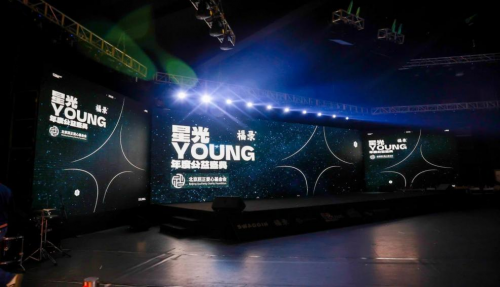 星光YOUNG年度公益盛典圆满落幕,汇聚爱心共筑音乐梦想
 TESTONI隆重发布2025春夏独家“尊享之选” 系列
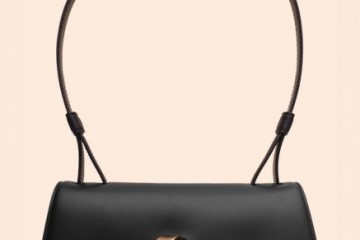 Testoni 女装60周年重现经典——2025春夏系列发布
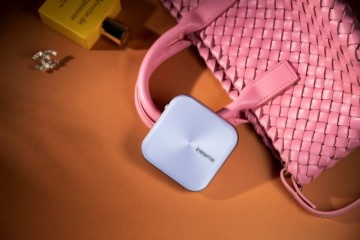 inewme艾柠美UV小紫镜新品上市:携手优彩科技,打造防晒美妆新纪元